![Apogee Logo White.png]](https://knowledge.apogeedigital.com/hs-fs/hubfs/Apogee%20Logo%20White.png?height=40&name=Apogee%20Logo%20White.png)
Follow the steps below to configure whether the Mac keyboard volume keys control the headphone output or speaker output on your Apogee interface.
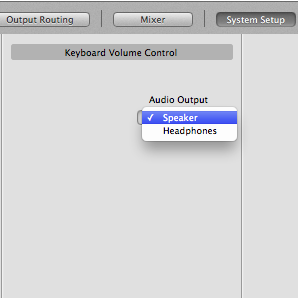
- Launch Maestro 2 and go to the System Setup tab.
- Under Keyboard Volume Control, select your desired output from the drop-down menu: Speaker or Headphone.
Maestro 2 software:
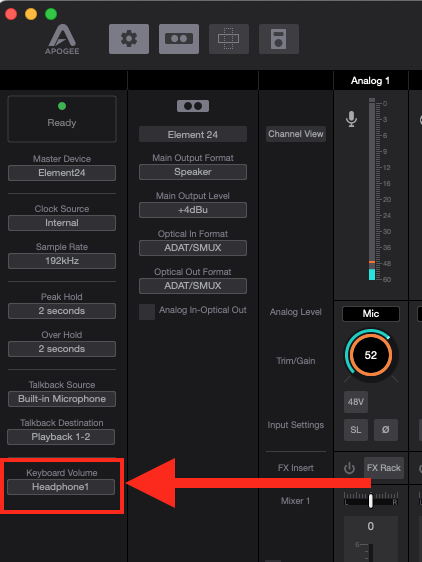
If you are using Apogee Control or Control 2 software, follow these steps to set the Keyboard Volume Control preference:
- Open Apogee Control or Control 2 and navigate to the Settings or System tab.
- Under Keyboard Volume Control, select the desired output — Speaker or Headphone — from the drop-down menu.
For advanced tips, see Advanced use of Apple Keyboard volume controls