![Apogee Logo White.png]](https://knowledge.apogeedigital.com/hs-fs/hubfs/Apogee%20Logo%20White.png?height=40&name=Apogee%20Logo%20White.png)
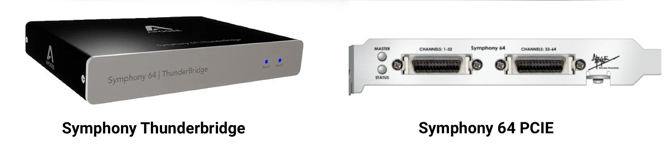
NOTE: If using Symphony64 PCIe or Thunderbridge with a newer versions of OS X, please use the Symphony System software installers associated with the Symphony I/O. Those newer installers also support X-Symphony equipped Legacy interfaces.
User's Guide
Downloads
- Symphony System Release v5.5 (final release)
macOS 11 Big Sur through macOS 14 Sonoma*
- Maestro 2.11
NOT SUPPORTED on macOS 15 or higher because:
*Audio in/out functional on macOS 15 Sequoia and macOS Tahoe 26. But Maestro 2 software does not work. Adjust settings using front panel controls of your Apogee device instead.
**Symphony I/O - USB mode not working on macOS Tahoe 26. - Symphony System Release v5.4c
macOS 10.9 to 10.15
- Maestro 2.10.9 - Symphony System Release v4.8
OS X 10.6.8 to 10.9
- Maestro 2.7.11 - Symphony System Release v4.2
OS X 10.6.4 or above
- Maestro 2.5.50
- Sept09 Installer
For OS X 10.5.8 Leopard or 10.6 Snow Leopard (or greater)
- Includes Maestro 1.9.18
*See Readme for minimum requirements and known issues.*