![Apogee Logo White.png]](https://knowledge.apogeedigital.com/hs-fs/hubfs/Apogee%20Logo%20White.png?height=40&name=Apogee%20Logo%20White.png)
Redeem the Plugin Alliance Licenses
When you register the Duet 3 LE in your Apogee Account, and enter the Access Code that came in the box with the unit, you are given a Plugin Alliance redemption code.
This code provides a free Plugin Alliance license for the following Apogee plugins:
- ECS2 Channel Strip
- Clearmountain’s Spaces
- Pultec EQP-1A
- Pultec MEQ-5
To redeem the code, click this link to view the Apogee Hardware Bundle:
https://www.plugin-alliance.com/products/apogee-hardware-bundle
Click the "Add to cart" button, then the Check out button:
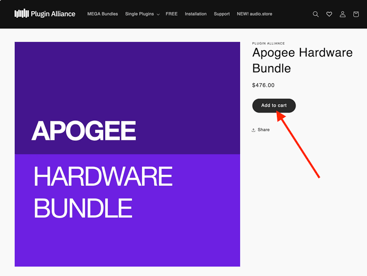

Enter the redemption code into the Discount Code field. This will bring the cost of the bundle down to $0.

Fill out the remaining fields and complete the Checkout process. The plugin licenses will appear in your Plugin Alliance account.
Use the Plugin Alliance Installation Manager to download and install the plugin software: https://www.plugin-alliance.com/pages/installation-manager
FAQ:
I registered my Duet 3 LE and activated its included plugins through PACE/iLok before October 1, 2026.
If you previously registered your Duet 3 and activated its included plugins through PACE/iLok, you can continue using them. Your existing iLok plugin licenses will continue to work.
If your Duet 3 LE plugins have not previously been activated
If you were given a 30-character iLok activation code, but did not use this use it to claim your iLok licenses, these can no longer be redeemed.
Contact Apogee Support with your Duet 3 LE serial number and Access Code, and they can assist in transitioning you to the Plugin Alliance redemption process.
ECS and ECS 2
There is one important difference between the native and DSP versions of ECS.
With the Plugin Alliance transition, the native ECS Channel Strip becomes ECS 2, which includes an updated interface and additional native features.
The ECS processing built into Duet 3’s DSP does not become ECS 2. It remains the existing original ECS DSP implementation. There are no plans to update Duet 3 to use ECS 2.
As a result, some features available in the native ECS 2 plugin may not have corresponding controls or processing available on Duet 3’s onboard DSP.
What if I only need to pass audio?
Duet 3 can connect to a compatible computer and pass audio without the Apogee Control 2 software installed.
Installing the appropriate Duet 3 software is necessary to access its complete software-controlled functionality.